Mastering INNER JOIN in SQL: Complete Guide with Examples & Practice Questions (2026 Interviews)
When I first started preparing for SQL interviews, INNER JOIN was the concept that tripped me up the most. I could handle single-table queries fine, but as soon as they asked something like "show user names with their orders," I froze.
So I decided to master it properly — from zero understanding to solving complex multi-table problems. This article is exactly that journey: everything I learned, step by step, with simple explanations and practice questions you can solve right away.
By the end, you'll feel confident tackling any INNER JOIN question in interviews (TCS, Infosys, Deloitte — they love these!).
We'll use the same realistic database throughout (users, products, orders) — you can practice every question live here: sqlpractice.in
What is a JOIN? (Quick Recap)
Before INNER JOIN, let's remember why we need JOINs at all.
Imagine you have two separate tables:
- users: id, name, email
- orders: id, user_id, amount, product
A single table can only tell part of the story. To answer "Which users placed orders and how much?" — you need to combine data from both tables.
That's what JOIN does.
There are different types (INNER, LEFT, RIGHT, FULL), but today we're focusing on INNER JOIN — the most common and important one.
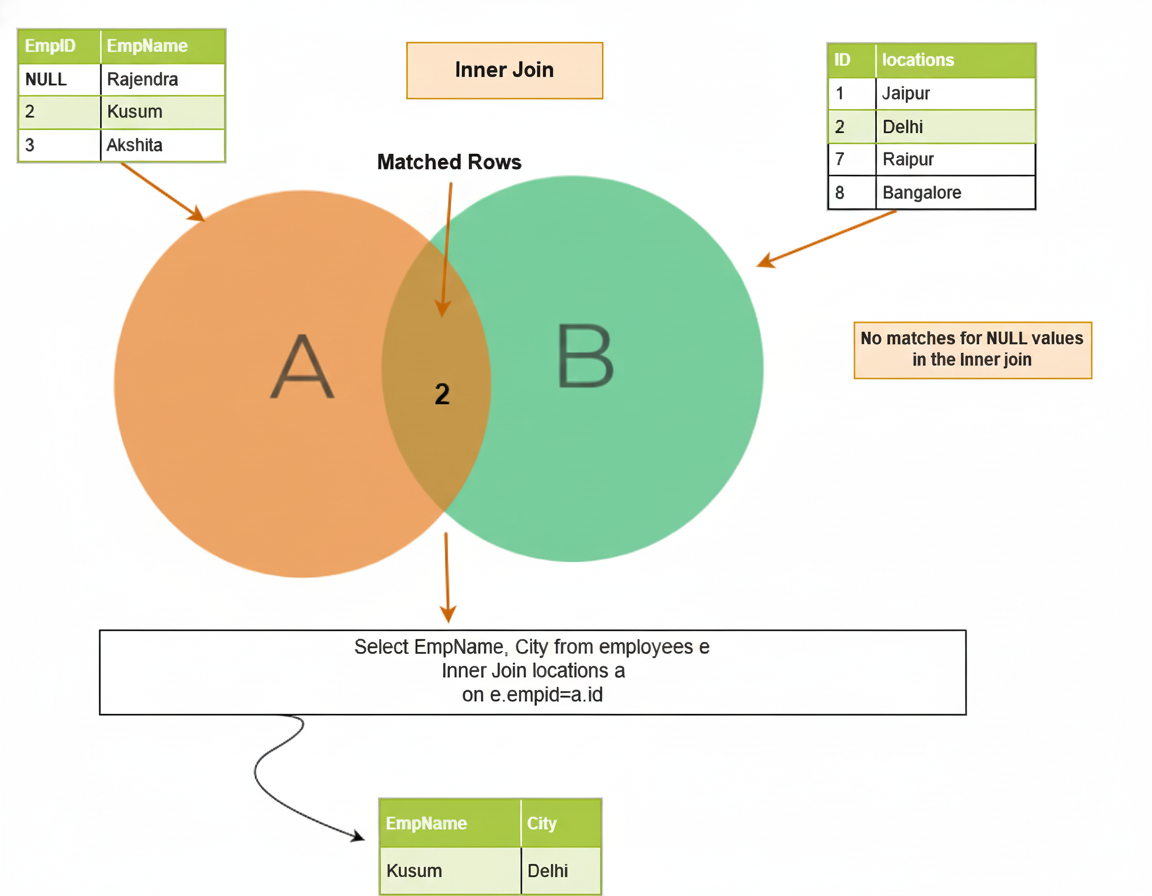
Visualizing INNER JOIN (The Venn Diagram)
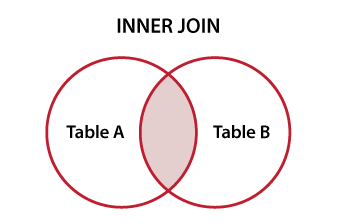
The easiest way to understand INNER JOIN is with a Venn diagram.
-
The overlapping area (center) = rows that exist in both tables.
-
INNER JOIN returns only these matching rows.
-
If a user has no orders → not included.
-
If an order has no matching user → not included.
Simple rule: Only matches survive.
Basic Syntax of INNER JOIN
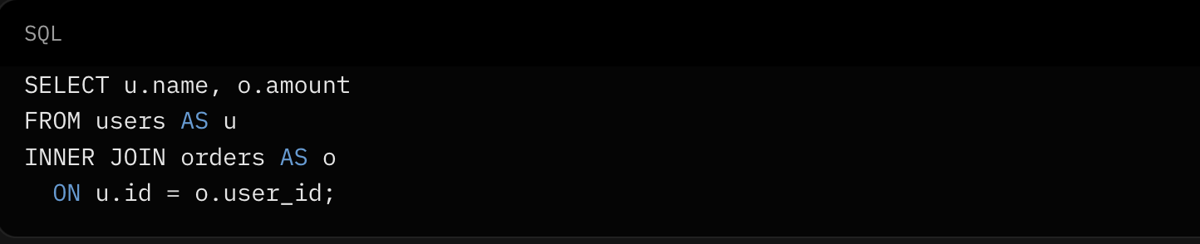
Here's the standard way to write it:

You can also use aliases (short names) for cleaner code:
There's also the USING clause if column names are identical:

Practice Question 1 (Easy) Show first_name, last_name, and province_name for all patients.
Joining More Than Two Tables
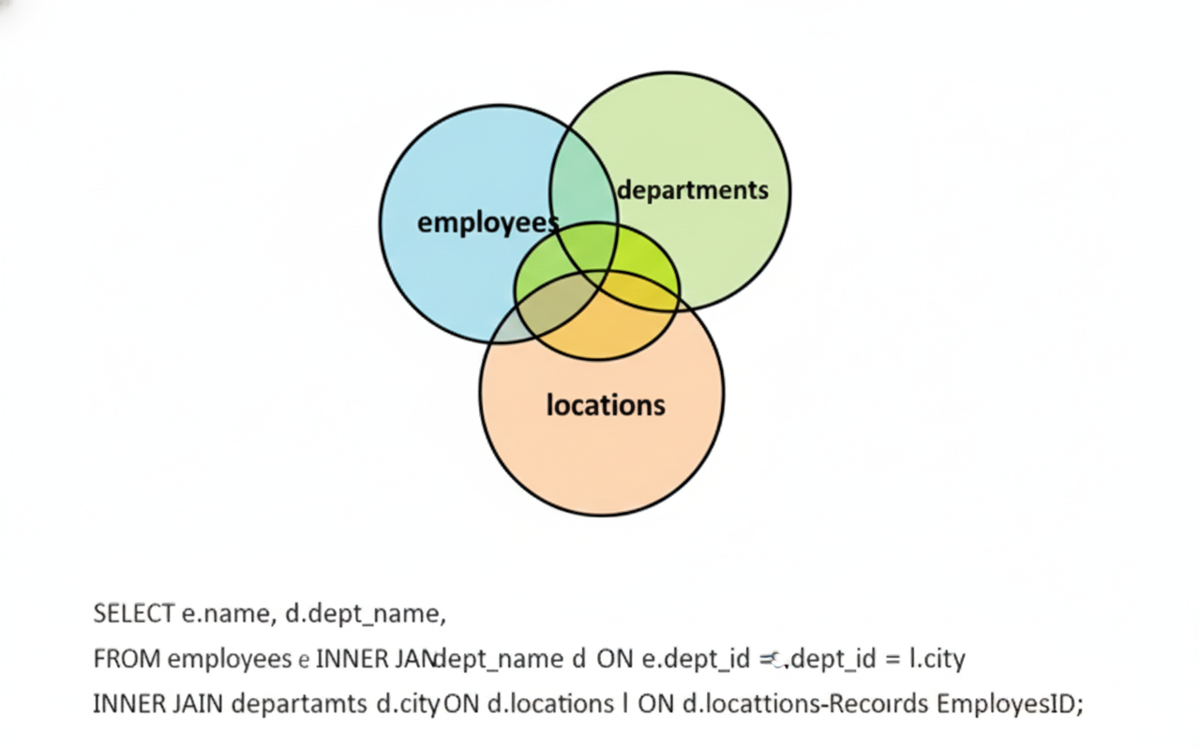
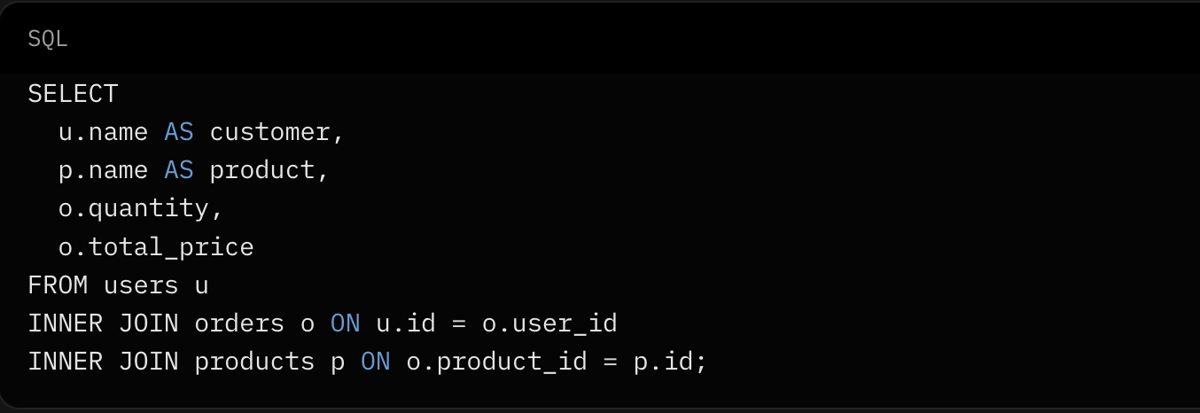
Real life rarely has just two tables. What if we want user name + product name + order quantity?
We chain JOINs!
Practice Question 2 (Medium) Show admission_id, patient_id, and doctor's last_name for admissions attended by a 'Cardiologist'.
Common Mistakes I Made (And How to Avoid Them)
When I was learning, these got me every time:
- Forgetting the ON clause → results in Cartesian product (every row × every row = explosion!)
- Wrong column names → no matches → empty result
- Expecting all rows → remember, INNER JOIN drops non-matches
- Bad alias order → hard to read/debug
Practice Question 3 (Medium) Show admission_id, admission_date, and patient's city for patients from 'ON' (Ontario).
INNER JOIN vs LEFT JOIN: When to Choose Which?
Quick comparison:
- INNER JOIN: Only matching rows → "I want only complete records"
- LEFT JOIN: All rows from left table + matches from right → "I want all users, even if no orders"
Use INNER when you need complete data only.
Use LEFT when you want everything from one side.
Practice Question 4 (Medium) Show patient first_name and their total number of admissions.
Advanced Patterns with INNER JOIN
Now let's level up:
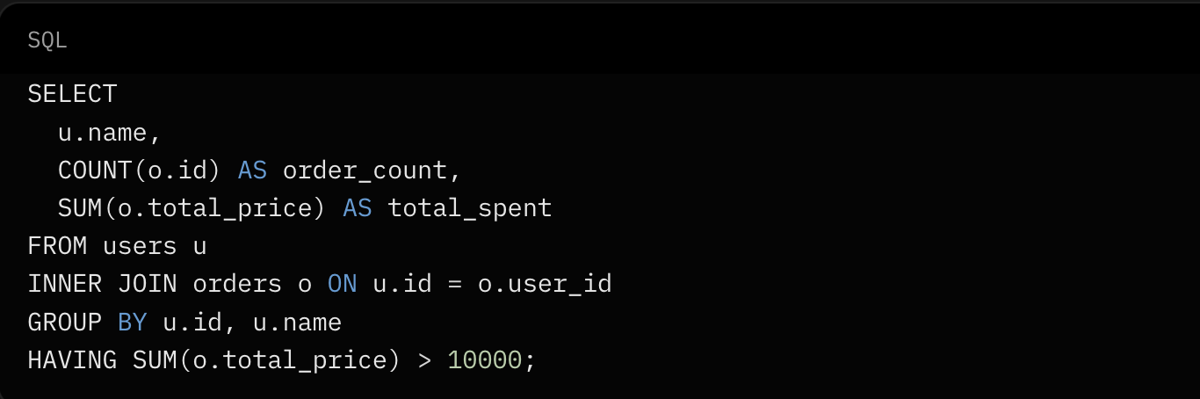
- With Aggregation
-
Multiple Conditions in ON

Practice Question 5–7 (Hard)
- Show average admission_cost for each doctor specialty, sorted by cost descending.
- Show province_name and the highest admission_cost recorded in that province.
- Show patient first_name, doctor last_name, and diagnosis for admissions costing more than 5000.
Performance Tips
INNER JOIN can be slow on large tables if not optimized:
- Always index foreign key columns (user_id, product_id)
- Avoid SELECT * — select only needed columns
- Use EXPLAIN ANALYZE to check query plan
Practice Question 8 (Expert) Calculate the total admission_cost for all patients in each province. Show province_name and total cost.
Final Thoughts
I started this article not really understanding INNER JOIN, and now — after writing it and solving these questions — I feel confident.
You can too.
Go through the practice questions in order (easy to hard). Solve them on sqlpractice.in — instant feedback, no signup needed.
Once you're comfortable with INNER JOIN, LEFT JOIN will feel natural (coming in the next article!).
Keep practicing — one concept at a time.
You've got this! 💪
If this helped, share it with someone preparing for interviews. Next up: Mastering LEFT JOIN.